Windows 10 / 11 · Free · Offline
Free CutForge Viewer
Desktop 3D and 2D viewer for steel structures: open IFC, STEP, DSTV NC1 and DXF drawings locally on Windows — no licence, no registration, no file upload.
Download CutForge Viewer (Windows) Try Online 3D Viewer
Free forever · No registration · No time limit · Works completely offline.
What CutForge Viewer opens and shows
| 3D formats (desktop) | IFC (.ifc) and STEP (.step, .stp) – assemblies and single parts (IFC is supported in the downloadable desktop app) |
|---|---|
| Online 3D viewer | STEP (.step, .stp), IGES (.igs, .iges) and BREP (.brep) directly in the browser (without IFC) |
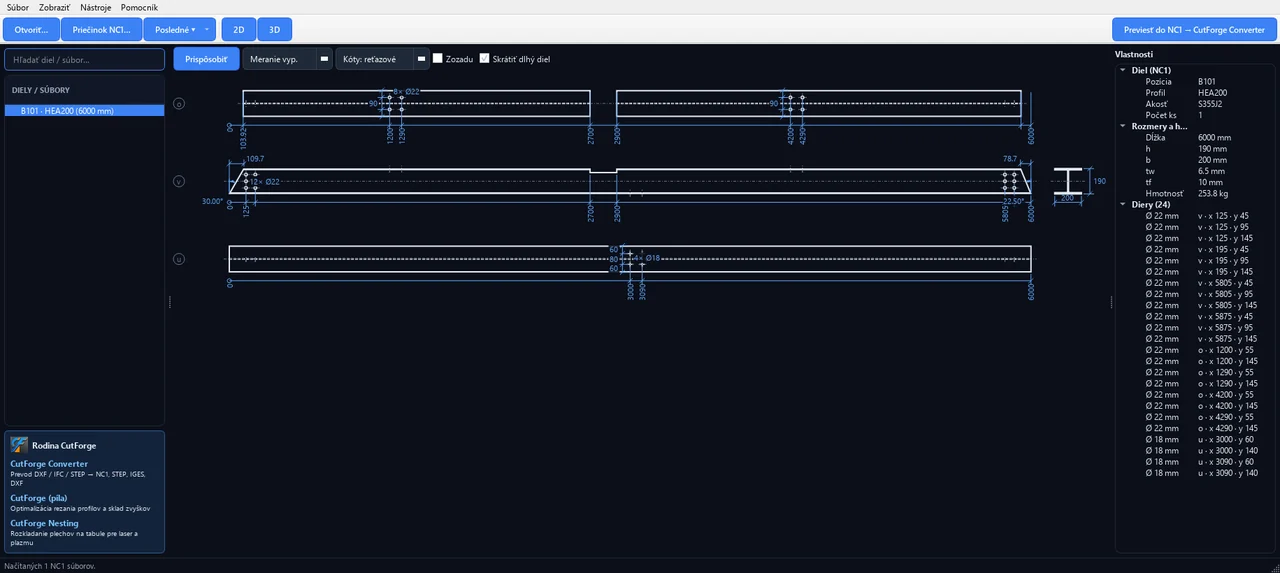
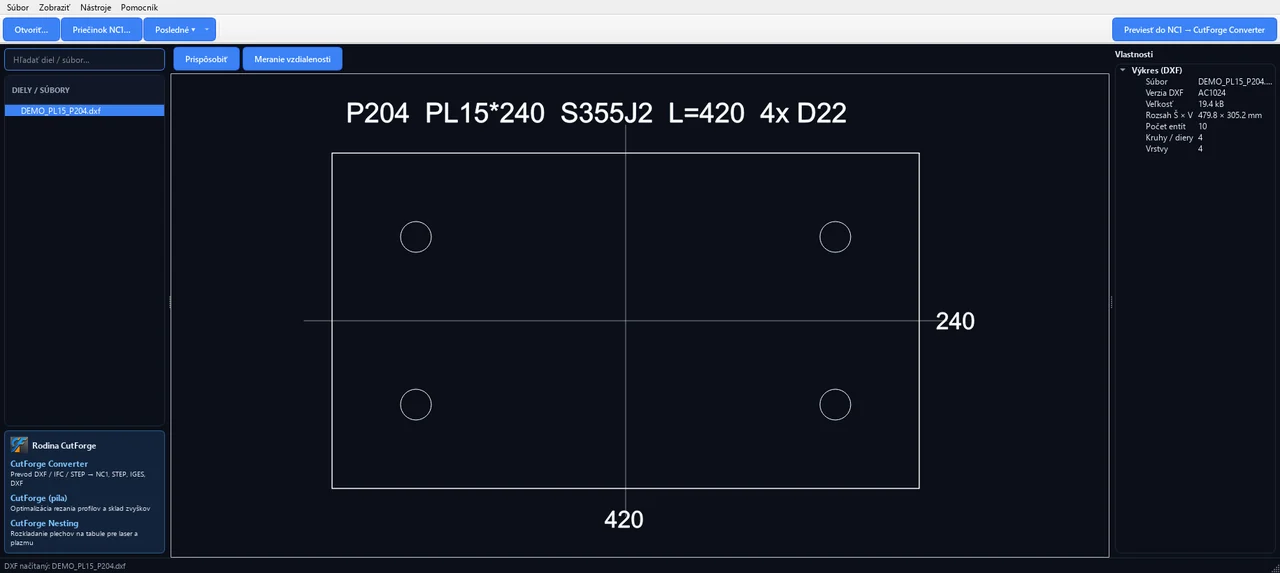
| 2D formats | DSTV NC1 (.nc1, .nc) with dimensions and hole table; DXF (.dxf) workshop drawings |
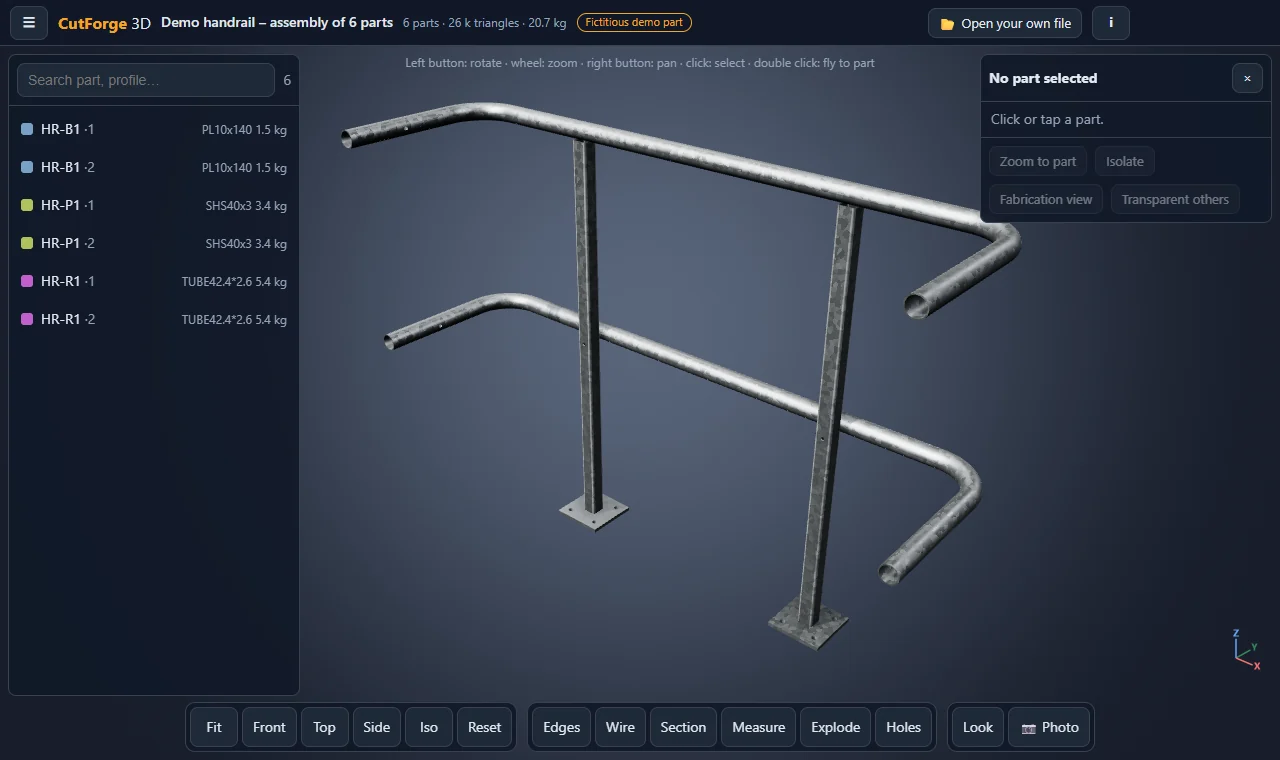
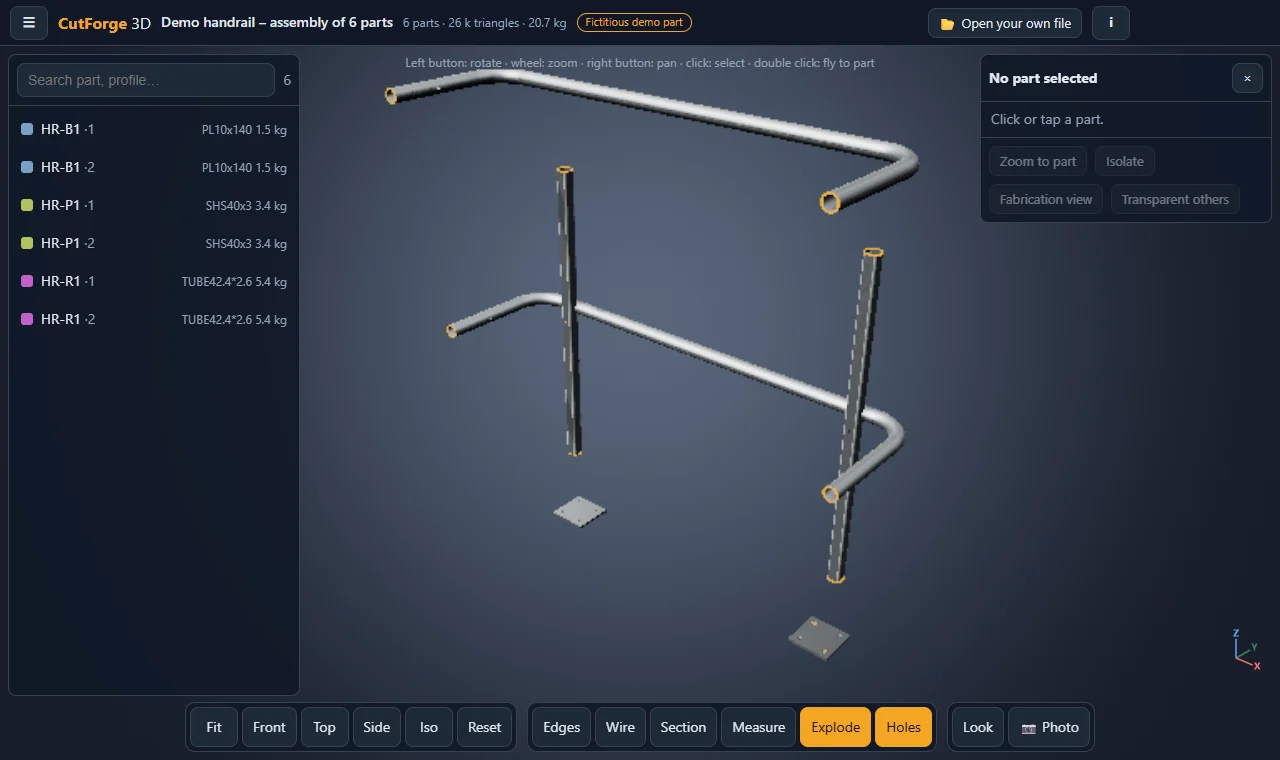
| 3D assembly tools | Assembly & single-part view, explode with holes, isolate, hide, transparent surroundings, profile legend |
| Holes & orientation | Bolt-derived holes on entry/exit faces, fabrication orientation (long axis horizontal, web/plate vertical) |
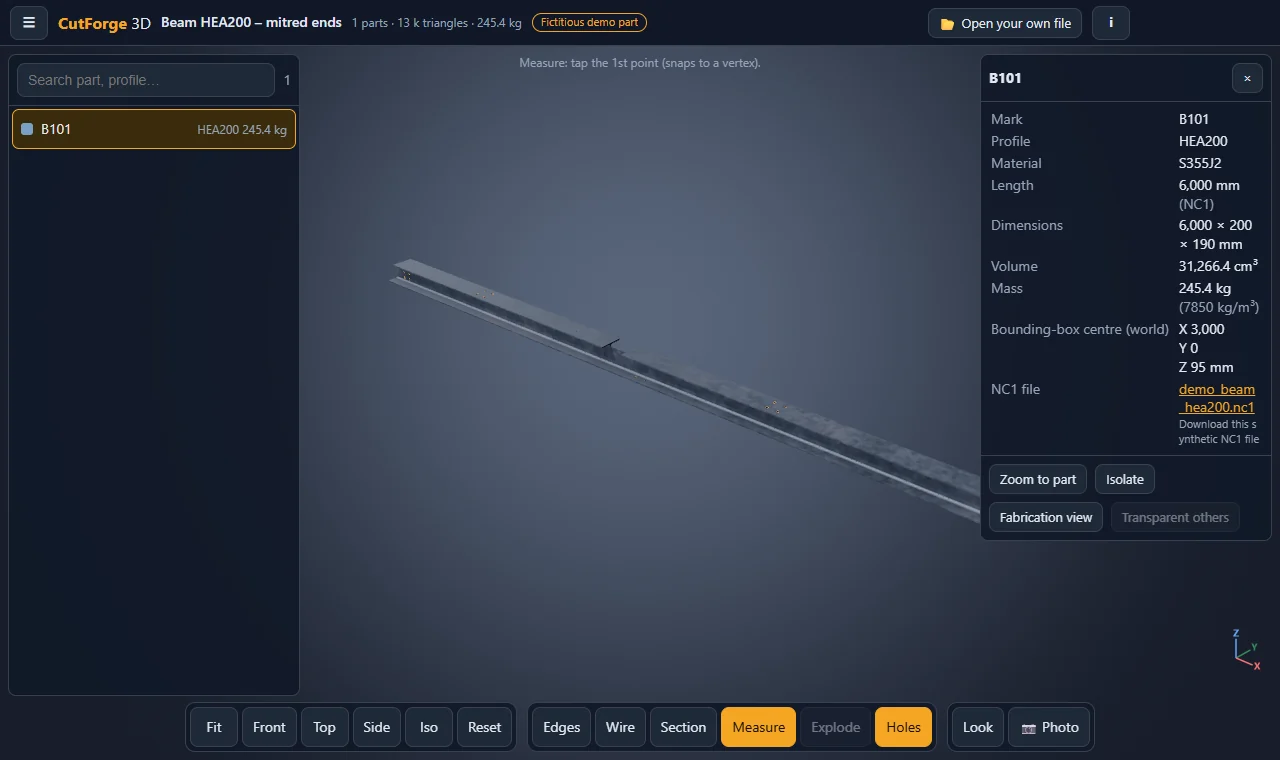
| 3D measurement | Distance and ΔX / ΔY / ΔZ with snap restricted to the part under cursor (circle centre, vertex, edge midpoint, edge, face) |
| Part properties | Mark, profile, material grade, assembly, dimensions, weight and NC1 hole list |
| Privacy & licence | 100% local on your PC – files are never uploaded. Free without licence key or trial limit. |
| System | Windows 10 / 11 (64-bit), automatic update check (optional) |
Preview of the application

Viewer vs. CutForge Converter
CutForge Viewer is strictly for viewing and checking models and drawings. If you need to generate CNC files or export parts, use CutForge Converter.
| CutForge Viewer | CutForge Converter | |
|---|---|---|
| Open IFC, STEP (3D), NC1, DXF | Free in Viewer | Included in Converter |
| 3D explode, holes, snap measurement, properties | Free in Viewer | Included in Converter |
| Convert DXF / IFC / STEP → NC1 (DSTV) | — | CutForge Converter |
| Export NC1 → STEP / IGES, laser DXF for plates | — | CutForge Converter |
| Batch export, BOM check, PDF part drawings | — | CutForge Converter |
Ready to view your steel models?
Download CutForge Viewer for Windows — free, offline, no account required.
Download CutForge Viewer (Windows) Need conversion? CutForge Converter
Frequently asked questions
Is CutForge Viewer really free?
Are my IFC, STEP or DXF files uploaded anywhere?
Can CutForge Viewer export NC1 or STEP files?
Can I open IFC files in the online browser viewer?
Can I install Viewer alongside CutForge Converter?
Free online 3D viewer for steel parts
Free online 3D viewer: open your own STEP / IGES files in the browser, plus NC1 / DSTV demo parts.
DXF, STEP and IFC to NC1
Convert DXF, STEP and IFC to NC1 (DSTV) for steel CNC lines. DXF converts on your PC (98 % automatic); STEP and IFC we convert for you. Free trial.
Free online NC1 viewer
Free online NC1 file viewer: open DSTV files from Tekla, Advance Steel and other systems in your browser. See faces, holes and cut-outs. No sign-up, no upload.